

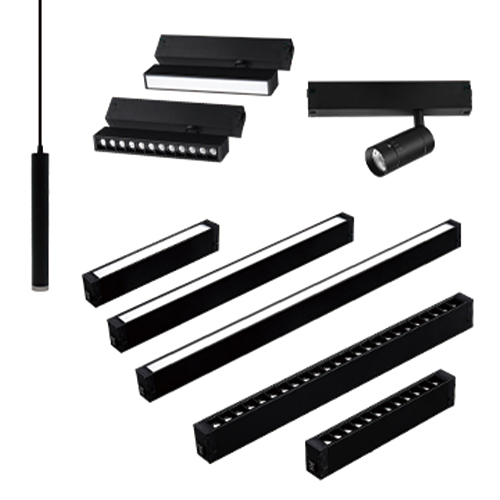
Magnetic Track Lighting Replacement Parts and Spare Planning
When a row of shop lights goes dark, a photo of one fixture gives the supplier little information about the parts feeding that rail. Start with the rail ID, the as-installed schedule and any labels that maintenance staff can safely access. Those records help the team identify which magnetic track lighting accessories belong to that run and which parts need investigation. Set spare quantities for each approved SKU based on the area it serves, how quickly it can be replaced and how long replenishment takes.
Use the function column to narrow the search, then match the replacement against the installed rail and part records. List the power supply, control devices and complete luminaires in the same register so maintenance staff can see which items serve each run.
|
Part group |
What it does |
How to identify it |
What to match when ordering |
|---|---|---|---|
|
Power feed |
Brings power to a rail section |
Find the feed on the as-installed drawing and check its label or order code |
Rail family, feed position, contact layout and electrical rating |
|
Electrical straight, corner or branch connector |
Carries power across a joint where the system is designed for continuity |
Check the route, connector type and manufacturer’s wiring drawing |
Contact positions, orientation, electrical rating and control conductors where applicable |
|
Mechanical joiner or corner |
Aligns or joins rail sections |
Compare the rail cross-section and mounting detail |
Surface or recessed profile, joint geometry, fasteners and finish |
|
End cap or track cover |
Finishes a rail end or covers an open section |
Check the rail end profile, measurements and finish |
Profile, dimensions, color and package contents |
|
Mounting bracket or suspension kit |
Supports the rail in the specified mounting arrangement |
Check the ceiling detail and original hardware schedule |
Rail and mounting type, approved kit and fixing requirements |
|
Power supply, control device or luminaire |
Powers, controls or lights the run or zone |
Record the exact model and variant from the approved schedule and label |
Electrical and control ratings, installation format and, for luminaires, output, beam and color |
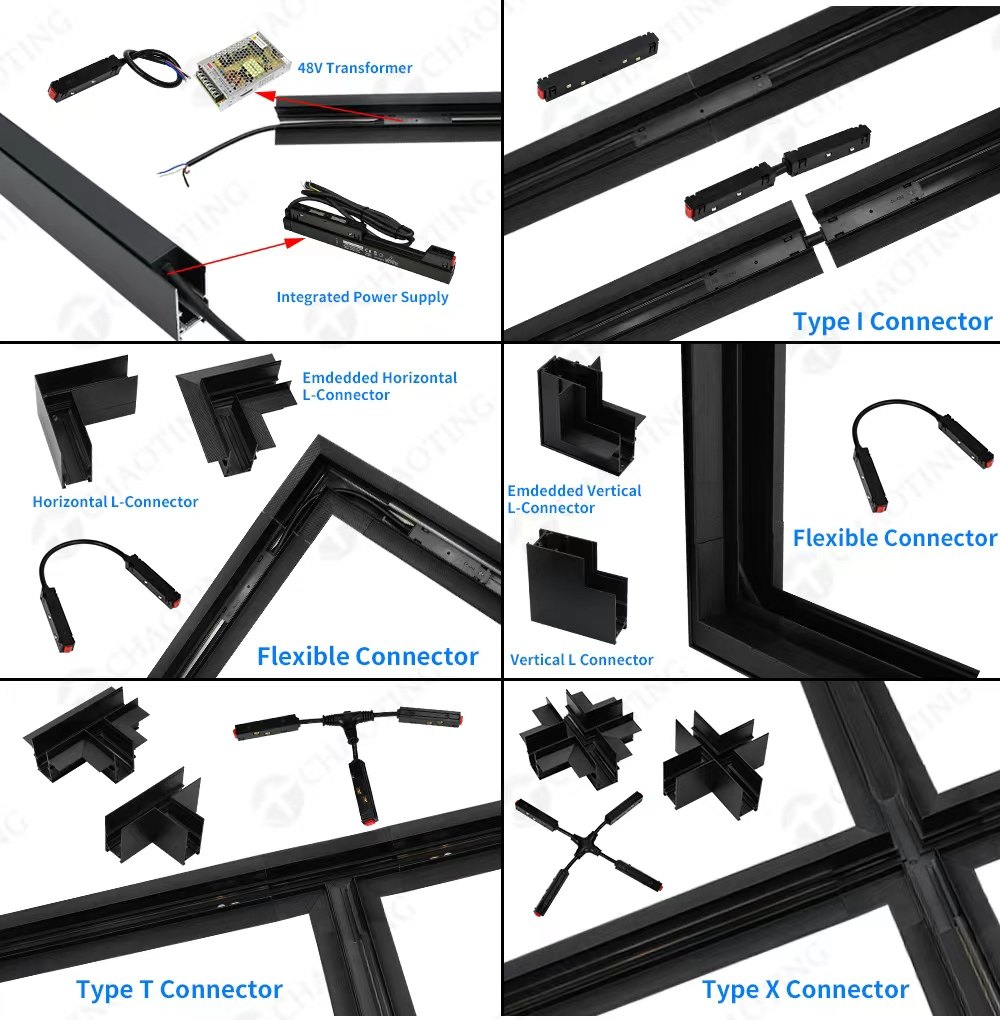
Sampo magnetic track connectors and power supply options
Identify the rail family and revision
Start with the affected zone and rail ID. Check the as-installed drawing, fixture schedule and purchase record for the rail family, mounting type, part code, finish and revision. If records are missing, send the supplier photos of accessible labels and the visible profile, with a dimensioned drawing where available. Include the driver and control models if the part carries power or control signals. Have a qualified technician investigate electrical faults and handle any work that requires access to electrical components.
Check mechanical fit and electrical function
In Sampo’s S20 catalog, S20-L1 is a flexible electrical connector and S20-L2 is a surface-mounted L connector. Record those descriptions beside the codes. If the approved layout includes both pieces at a corner, list them on separate order lines and confirm the required quantity of each. A request for a black corner connector leaves its function and mounting type open. Sampo S20 system
For a power supply replacement, check the input range, output voltage, usable capacity, form factor and control arrangement against the installed configuration. A rail’s 48V label identifies the voltage but leaves its profile, contacts and control version to be checked. Magnetic track installation checks
Approve a substitute before ordering
If the original SKU is unavailable, ask the supplier to identify the replacement and confirm where it can be used. Record the original and substitute codes, the rail or driver versions covered, and any changes to mounting or controls. If the project requires a sample test, attach the result to the approval. Keep separate register entries when older and newer rail versions need different spares.
Prioritize shared components and unique variants
Compare the number installed, the area each part serves, the replenishment lead time and the availability of an approved substitute. A power supply shared by several fixtures can warrant an on-site spare if its failure would leave a sales area dark for weeks. An end cap may have less effect on lighting uptime, but it can justify a small stock if staff regularly replace it after layout changes. A corner specific to one recessed profile may need its own bin even if several sites use the same finish.
Set an initial stock level and a reorder point
For parts with regular usage, estimate demand over the replenishment period and add a buffer. For example, suppose a store group uses two of the same end cap per month, the supplier takes one month to replenish it, and the team wants a buffer of one cap. The reorder point is three caps: two for expected use during lead time plus one for the buffer. Review the threshold after actual usage and lead-time data become available.
For a low-use part with a high cost of downtime, set initial stock based on the number of runs it serves and the longest acceptable outage. Keep installation allowances and maintenance inventory on separate order lines so the installer and the site team can reconcile each quantity. Before pooling stock across stores, check that the SKU and approved revision cover each site.
Record where each spare fits
Set up a row for each approved part and version. Link it to the drawing or equipment schedule and label its bin with the same SKU. For projects that use a structured facilities handover, COBie provides a reference for organizing asset and spare-part information. NIBS COBie V3
|
Register field |
Example entry for a hypothetical retail site |
|---|---|
|
Site, zone and rail ID |
Store A, window display, R-01 |
|
Rail family, revision and finish |
S20 surface-mounted rail, revision from approved submittal, black |
|
Part description and supplier SKU |
End cap, S20-Z, confirm against the installed rail |
|
Installed quantity and stock location |
Two installed, bin A-04 |
|
Stock on hand, reorder point and lead time |
Four in stock, reorder at three, one month assumed |
|
Approved substitute and last check |
Enter approved SKU if available and record the date of confirmation |
Run one maintenance scenario
Suppose the window track goes dark while the showroom track still works. The technician uses the drawing to identify the affected feed and checks the cause before selecting a part. The register then identifies the compatible spare for that rail and its storage location. If the window rail loses an end cap, staff verify the S20-Z entry, take one from bin A-04 and log the quantity, rail ID and date. The balance falls from four to three, reaching the reorder point. Check open orders before placing a new one. If the showroom uses a different rail profile, look up its own cap and stock record.
Are magnetic track lighting accessories interchangeable
Verify interchangeability for the exact parts and rail versions. Look up the rail profile, connection function, orientation and mounting detail. For electrical parts, check the contacts, ratings and any control conductors as well. Ask the supplier to confirm the replacement by model number before adding it to the order.
Which spares should I order with a new installation
Start with parts that could take a whole run out of service, parts with long replenishment times and small items the site expects to use regularly. Review the approved schedule by SKU, including finish and control variants. Set the quantity for each part based on its use and the site’s tolerance for downtime.
What should I send when the original part number is missing
Send the rail ID, installation type, as-installed drawing and photos of accessible labels and the visible rail profile. Include dimensions from existing drawings or a safely accessible sample. For a powered or controlled part, include the driver and control information so the supplier can check the proposed replacement against the installed system.
Send the zone or rail reference, existing part codes or photos, quantities and delivery location. Ask the supplier to confirm the orderable SKU, applicable rail version, pack contents, replenishment lead time and any approved substitute for each line. Commercial lighting RFQ checklist · Contact Sampo with your spare parts list


